April 13, 2026
What Is a TikTok Agency Account?
A TikTok agency ad account helps agencies, brands, and media buyers manage advertising with more structure through TikTok Business Center. This guide explains how it works, how it compares to a regular TikTok ad account, how permissions and assets are managed, and when an agency setup is the better choice for scaling campaigns.
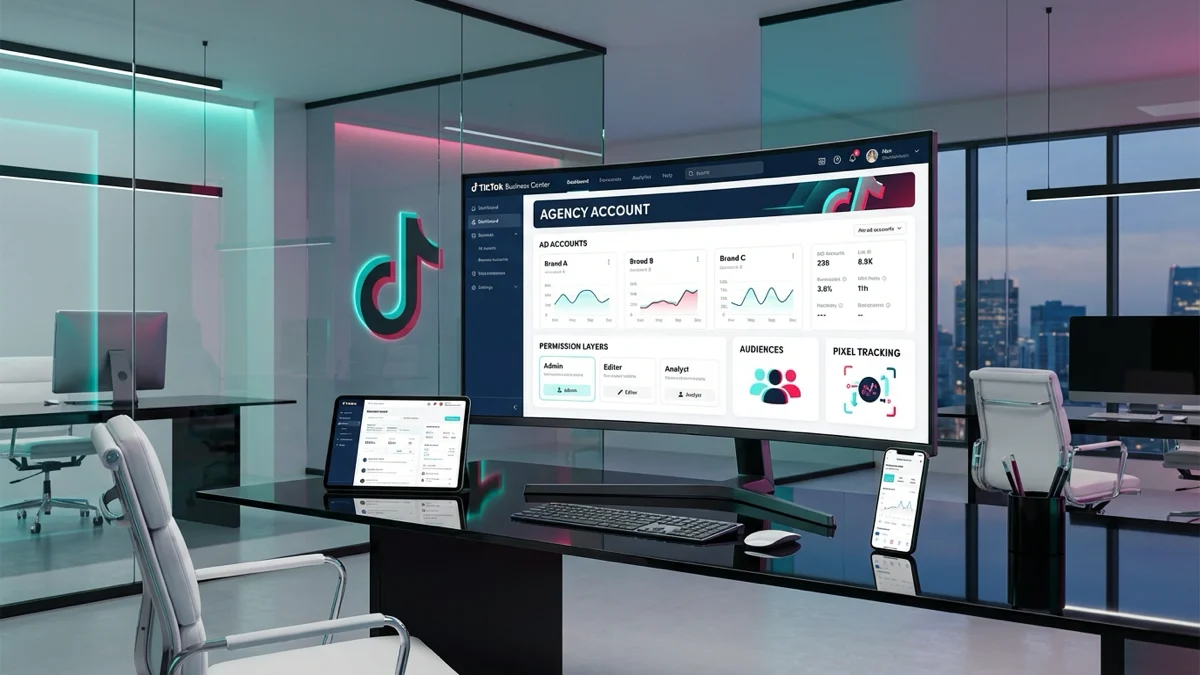
A TikTok agency ad account is not just a standard login for buying traffic. It is usually part of a broader operational structure inside TikTok Business Center, where agencies, brands, and performance teams manage ad accounts, permissions, assets, and collaboration from one place. TikTok describes Business Center as a hub built for teams and agencies, and it highlights collaboration, centralization, and permission control as core benefits.
For that reason, many advertisers who search for a TikTok agency account are really trying to understand how the setup works inside TikTok Business Center, what access an agency needs, and when an agency structure makes more sense than a regular TikTok ad account. This matters even more when a business is running several brands, using outside media buyers, or scaling across multiple markets.
A regular advertiser can use TikTok Ads Manager on its own. However, a TikTok ad account for agencies becomes much more useful when several people need controlled access to ad accounts, TikTok accounts, pixels, catalogs, audiences, leads, and other business assets. TikTok’s own documentation makes that clear by showing how admins assign member and partner permissions at both account and asset level.
What a TikTok agency account means

A TikTok agency ad account is best understood as an advertising setup used by agencies or multi stakeholder teams to run campaigns with clearer control over accounts and assets. Although people often use the phrase TikTok agency account loosely, the real foundation is TikTok Business Center. TikTok says Business Center is the one stop business hub for marketing on TikTok and that it is built with teams and agencies in mind.
The difference between a regular TikTok business account and an agency setup
A regular TikTok business account is usually enough when one company manages its own advertising with a small internal team. In that case, the structure can stay simple because one advertiser logs into TikTok Ads Manager, creates campaigns, and handles billing and permissions directly.
A TikTok agency ad account setup is different because it is designed for shared work. One agency may need to manage several advertiser accounts, invite team members, request partner access, and separate what each person can edit. Therefore, the agency model is much better for account governance, client collaboration, and multi account management. TikTok explicitly supports this through Business Center workflows for agencies, including member invitations, partner access, and ad account creation or access requests.
With a standard setup, permissions can become messy as more freelancers, departments, and external partners get involved. By contrast, a TikTok ad account agency setup keeps those roles inside a centralized business structure. As a result, it becomes easier to know who has access, what assets are assigned, and how to adjust permissions when teams change. TikTok highlights accountability and permission control as major Business Center benefits.
How TikTok Business Center fits into agency account management
TikTok Business Center is the core layer behind most agency workflows on the platform. It centralizes ad accounts, creators, audiences, and permissions, and it allows businesses to grant access to individuals and partners. TikTok also explains that admins can control access to ad accounts, TikTok accounts, shops, pixels, catalogs, audiences, and leads from Business Center.
That is why many people asking about a TikTok agency advertising account are really asking about the correct Business Center structure. The setup is not only about launching campaigns. It is also about how assets are organized, how members are added, and how client permissions are granted safely.
Setup type | Best for | Main limitation |
|---|---|---|
Regular TikTok ad account | One brand with a simple in house workflow | Less flexible for multi client or multi team control |
TikTok agency ad account via Business Center | Agencies, media buyers, and brands with shared workflows | Needs clearer onboarding, permission setup, and structure |
How TikTok agency accounts work
A TikTok agency ad account usually operates through one Business Center that holds the people, permissions, and business assets needed to run advertising. From there, an agency can create advertiser accounts, request access to client accounts, invite members, and assign permissions based on role. TikTok documents all of these workflows in its Business Center help articles.
Managing ad accounts, people, and assets in one Business Center
The biggest advantage of a TikTok business center for agencies is centralized management. Instead of scattering access across separate logins, the agency can keep people and assets inside one structure. TikTok says Business Center lets teams work efficiently, manage marketing assets in one place, and maintain control by tracking who has access to assets.
This matters because modern TikTok advertising is not only about one ad account. A team may need access to advertiser accounts, TikTok identities, pixels, catalogs, audiences, leads, and shops. In addition, campaign managers, analysts, creatives, and client stakeholders often need different levels of visibility. TikTok’s permission model supports that by allowing account and asset level permissions for members and partners.
For example, a brand can keep ownership of its TikTok account in Business Center and still authorize an agency to run Spark Ads through linked ad accounts. TikTok explains that this approach lets the agency use the brand’s identity and posts for advertising without handing over broader profile or community management access. That is a strong example of secure collaboration in practice.
How agencies request access and clients assign permissions
When an agency needs to work on a client’s existing advertiser account, it can request access inside Business Center. TikTok’s official process is simple: go to Accounts, open Advertiser accounts, click Add advertiser account, choose Request Access, and enter the ad account ID.
After that, the client can approve the request and assign the right permissions. TikTok also provides workflows for assigning asset permissions to partners and existing members, which is useful when a client wants the agency to manage ads but keep tight control over assets.
The best setup is rarely maximum access. It is precise access. A client should decide which members, ad accounts, TikTok accounts, pixels, or catalogs the agency needs, and then approve permissions accordingly. That keeps collaboration smooth while protecting the brand’s assets.
Why agencies and advertisers use TikTok agency accounts

Businesses use a TikTok agency account because the structure solves real operational problems. When several brands, regions, departments, or external partners are involved, a regular setup can quickly become disorganized. A TikTok agency ad account gives that growth process a system.
Centralized management for multiple brands or clients
An agency that handles multiple clients needs a way to separate assets while still keeping operations efficient. Likewise, a large brand may have separate teams for ecommerce, lead generation, or regional advertising. In both cases, an agency setup can support cleaner account structure and better visibility across the business.
TikTok itself positions Business Center as the place to centralize business needs, invite multiple people, and manage marketing assets in one place. It also provides a scenario for users creating additional Business Centers when they need to separate brands, regions, or business units.
Because of that, the agency structure is often the better choice when campaign volume increases. It reduces the confusion that comes from shared passwords, scattered ownership, or unclear access rights. Moreover, it gives teams a repeatable framework for onboarding new clients or new business units.
Better collaboration, workflow control, and support options
A TikTok agency account also improves collaboration. Campaign managers can build and optimize campaigns. Analysts can review results. Clients can keep visibility over assets. Admins can decide who gets access and what level of control they have. TikTok emphasizes collaboration and accountability as core Business Center functions, which is exactly why agencies rely on it for shared workflows.
Here are the main reasons advertisers prefer this structure:
- centralized management for multiple ad accounts
- clearer member and partner permissions
- safer client access and asset control
- better workflow separation between teams
- easier onboarding for new brands or markets
- stronger day to day operational consistency
TikTok agency account vs regular TikTok ad account
The comparison between a TikTok agency account vs regular TikTok ad account comes down to scale, structure, and collaboration. Both can launch campaigns. The real difference is how well each setup handles people, permissions, and multi account operations over time.
Key differences in access, account structure, and scalability
A regular TikTok ad account is fine for many smaller advertisers. It is direct, simple, and often quicker to start with. However, it can become limiting once the business works with an agency, hires multiple media buyers, or needs separate control over assets and permissions.
A TikTok agency ad account gives teams a stronger framework. Through Business Center, the organization can invite members, add partners, request access to advertiser accounts, and manage assets from one place. TikTok also allows agencies to create new advertiser accounts on behalf of clients or request access to existing ones.
So, when people ask about tiktok agency ad account vs regular account, the answer is not that one is universally better. The better option depends on operational complexity. The more complex the collaboration, the more useful the agency model becomes.
Which setup is better for brands, agencies, and in-house teams
For a small brand running one account internally, a regular account may be enough. For a scaling ecommerce brand, a performance team working across markets, or an agency serving several clients, a TikTok agency account usually makes more sense.
An in house team can also benefit from this kind of Business Center structure even if it is not a classic external agency. That is because Business Center is really about controlled collaboration, not just agency branding. TikTok’s own setup flow asks whether the business is an advertiser or an agency, which shows the platform is designed to support different operating models.
How to set up a TikTok agency account

Setting up a TikTok agency account starts with creating the right Business Center foundation. After that, the work is about adding people, connecting assets, and making sure permissions reflect the real workflow of the business.
What to prepare before creating a Business Center
Before creating your setup, prepare the basics carefully. You will need the correct business type, company details, Business Center name, and the right timezone and currency. TikTok notes that some business information may be hard to change later, so accuracy matters during setup. It also recommends enabling 2 step verification for stronger security.
This is also the moment to define your internal structure. Decide who should be an admin, who only needs campaign access, and which assets belong to each client or business unit. In addition, gather ad account IDs and Business Center IDs in advance if you expect to request access or add partners right away.
Steps to create your first TikTok Business Center
TikTok provides several official setup paths. New users can create a TikTok for Business account during Business Center creation. Existing users can create their first Business Center after logging in. There is also a separate path for advertisers or agencies who already have a sales representative, but that route is optional rather than mandatory.
In practical terms, the setup flow looks like this:
- Go to TikTok Business Center.
- Choose whether you are an agency or an advertiser.
- Enter your company and Business Center details.
- Confirm timezone and currency.
- Complete verification and security steps.
- Create or connect advertiser accounts as needed.
How to add users, partners, and ad accounts
Once your Business Center exists, you can start building the operating layer around it. TikTok says you can add members from the Users section by entering their email address and granting the right permissions. You can also add partners from the Partners section and assign account or asset permissions to them.
For advertiser accounts, TikTok supports both creating a new account and requesting access to an existing one. Agencies can use the Add advertiser account flow, then choose the right option for the client situation.
Best practices for running TikTok ads through an agency account
A strong TikTok agency ad account structure helps operations, but structure alone does not create results. Campaign performance still depends on good objectives, clean tracking, disciplined testing, and regular optimization.
Choosing the right campaign objectives and audience setup
TikTok explains that advertisers choose campaign objectives based on business goals and that objectives sit across Awareness, Consideration, and Conversion categories. That means the agency should align every campaign with the real business outcome before building audiences or creatives.
For example, a brand focused on online sales should not treat a traffic campaign the same way it treats a conversion campaign. Likewise, a lead generation campaign may need different audience and form strategy from an ecommerce campaign. In this case, the account structure should be used to bring discipline to objective selection, audience segmentation, and reporting logic.
Tracking, pixels, and event setup essentials
Tracking is where many advertisers lose clarity. TikTok provides Events Manager as the workspace to create and manage data connections for website, app, in site, or CRM events. For websites, TikTok says you can set up the TikTok Pixel through Events Manager, connect a web data source, and choose either partner integration or manual setup.
TikTok also explains that its Event Builder can help set up events and parameters without coding after the base pixel is installed. In addition, pixel events can be tested in Events Manager, which is essential before scaling spend.
A practical checklist should include:
- install the TikTok Pixel correctly
- define key conversion events
- test events before launch
- connect the right domain and data source
- align reporting with campaign objectives
- review tracking after major site changes
Monitoring performance and optimizing campaigns over time
A TikTok agency account is most valuable when the team uses it for continuous improvement, not only initial launch. Because Business Center centralizes accounts and visibility, it supports better performance reviews across teams. TikTok also describes Business Center as a place to plan, manage, and analyze marketing activities while getting detailed performance analytics across accounts and campaigns.
Therefore, agencies should build a weekly rhythm around reporting, creative review, audience performance, and conversion quality. Over time, the best account structures combine access control with a repeatable optimization process.
Common questions about TikTok agency accounts
Businesses often ask the same operational questions before moving to an agency setup. Those questions are usually about scale, permissions, and whether advanced setup requires a TikTok sales contact.
Can one agency manage multiple TikTok ad accounts?
Yes. That is one of the main reasons TikTok Business Center exists. TikTok positions Business Center as a centralized hub for teams and agencies, and its workflows support multiple advertiser accounts, multiple members, partner access, and even additional Business Centers for separate brands, regions, or business units.
What permissions should clients give to agencies?
Clients should give the minimum permissions needed for the work the agency is actually doing. For some engagements, that means advertiser account access only. For others, it may include TikTok accounts, pixels, catalogs, audiences, or leads. TikTok explicitly supports asset level permissions so admins can control access more precisely instead of granting broad control.
Do you need a sales representative to access advanced setup options?
No, not to create a Business Center. TikTok’s setup documentation includes separate scenarios for new users, existing users, users with a sales representative, and users creating additional Business Centers. The sales representative route is presented as a separate option that can simplify registration, not as a universal requirement.
How ShopyAds supports TikTok agency account growth

ShopyAds positions its TikTok offer around structured onboarding, Business Center guidance, operational support, billing clarity, and a scaling ready process. On its TikTok agency page, the company describes clear onboarding steps, support for access and operations, and policy first guidance. It also says clients go through an apply, review, setup and access, then launch and scale flow.
How ShopyAds helps businesses streamline onboarding, account support, and campaign operations
For businesses that already understand paid acquisition but want a more organized operating environment, that support can remove friction during setup. ShopyAds says it helps with roles, permissions, Business Center structure, configuration, and day to day workflow questions. The company also states that eligibility and requirements are reviewed within 24 to 48 hours and that ongoing operational support is part of the process.
That positioning is useful because many advertisers do not struggle with campaign ideas. They struggle with access, structure, onboarding, and continuity. A partner that focuses on those areas can make the setup more practical for scaling teams.
Final takeaways
A TikTok agency ad account is the right choice when advertising operations involve more than one person, more than one asset, or more than one stakeholder. The more complex the workflow becomes, the more valuable a structured Business Center setup becomes.
When a TikTok agency account is the right choice for scaling ad operations
Choose a regular account when your setup is simple and fully internal. Choose a TikTok agency account when you need centralized control, secure collaboration, cleaner permissions, and a repeatable way to manage multiple clients or business units. Because TikTok Business Center is built around asset management, account access, and partner collaboration, it is the operational backbone behind most serious agency style setups.
In summary, the real question is not only what is a TikTok agency ad account. The better question is whether your business needs a stronger system for access, governance, and scale. If the answer is yes, a TikTok agency ad account built inside Business Center is usually the right next step.
Frequently asked questions
What is a TikTok agency ad account?
A TikTok agency ad account is an advertising setup used through an agency structure, usually managed inside TikTok Business Center so teams can handle ad accounts, permissions, and assets more efficiently.
Is a TikTok agency account the same as TikTok Business Center?
Not exactly. TikTok Business Center is the management hub. A TikTok agency account usually refers to the agency style advertising setup that operates inside that hub.
What is the difference between a TikTok agency account and a regular TikTok ad account?
The main difference is structure. A regular account is simpler for one team. A TikTok agency account is better for multi user access, partner permissions, asset management, and scalable operations.
Can one agency manage multiple TikTok ad accounts?
Yes. Business Center is designed to centralize accounts, assets, permissions, and collaboration for teams and agencies.
How do agencies request access to client ad accounts on TikTok?
Inside Business Center, go to Advertiser accounts, click Add advertiser account, choose Request Access, and enter the ad account ID.
What permissions should a client give to an agency in TikTok Business Center?
Clients should grant only the permissions required for the agency’s role, which may include advertiser accounts, TikTok accounts, pixels, catalogs, audiences, leads, or related assets.
Do you need TikTok Business Center to manage multiple accounts?
In practice, yes, it is the main structure TikTok provides for centralized multi account and multi asset management.
Do you need a sales representative to create a TikTok Business Center?
No. TikTok provides setup paths for new users and existing users, while the sales representative route is only one optional scenario.
How do you set up a TikTok agency account?
Create a TikTok Business Center, choose the agency business type, enter your company details, secure the account, then add members, partners, and advertiser accounts or request access to existing ones.