April 12, 2026
What Is a Google Ads Agency Account?
A Google Ads agency account, also known as a Google Ads manager account, helps agencies and multi-brand teams manage multiple ad accounts, permissions, reporting, and billing visibility from one dashboard.
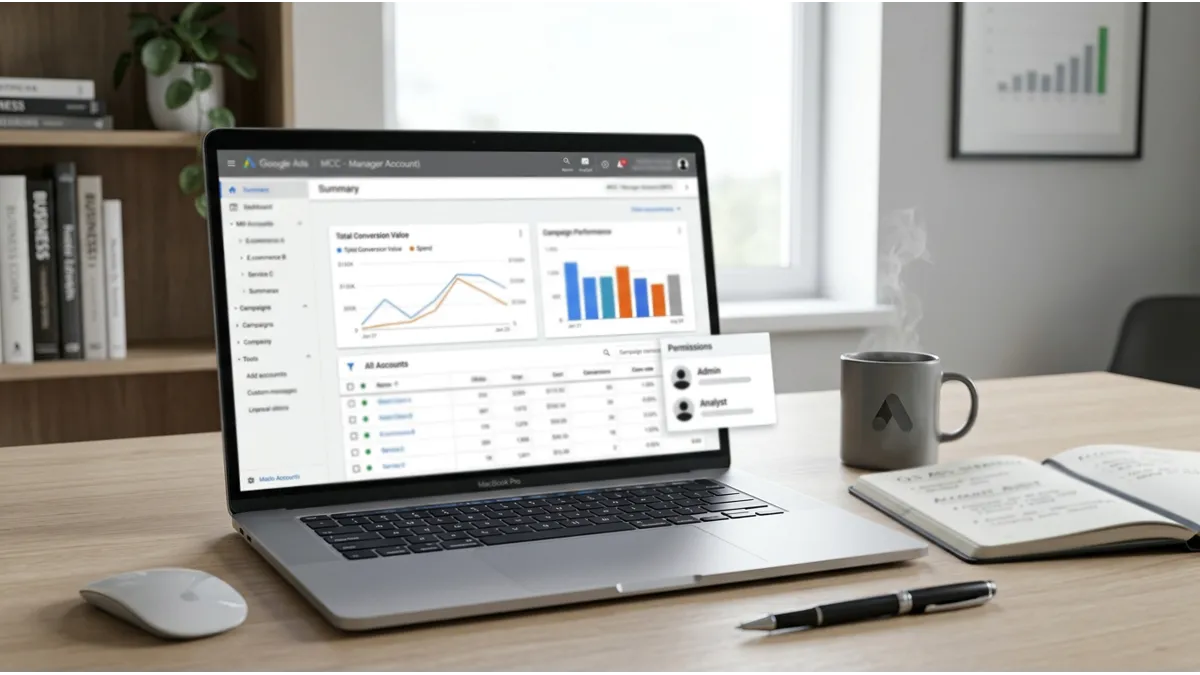
A Google Ads agency account is the setup many agencies, consultants, and in house marketing teams use when they need to manage several ad accounts in one place. In Google’s official language, this is a Google Ads manager account, often called an MCC. In practice, that means one login can oversee multiple client accounts, switch between them, review performance, and organize access more efficiently. Google also states that a manager account lets users link existing accounts or create new ones from the manager dashboard, and that Ads accounts using monthly invoicing require a manager account.
For agencies, this setup brings structure. For growing brands, it brings control. For multi brand teams, it creates a cleaner way to manage permissions, billing visibility, and reporting across regions or business units. In other words, a google ads agency account is not a different ad product with secret campaign features. Instead, it is the operating structure that helps serious advertisers handle complexity without losing visibility. That is why businesses often search for a google ads manager account for agencies, a google ads mcc account, or a google ads account for agencies when they want a more scalable setup.
What a Google Ads agency account means

When people say google ads agency account, they usually mean a Google Ads manager account used by an agency or a team that manages multiple advertising accounts. The important point is simple: Google’s official product name is manager account, while the market often refers to it as an agency setup. So, if you see phrases like agency account Google Ads, google ad agency account, or agency google ads account, they all point to the same operating model.
The difference between a Google Ads manager account and a regular account
A regular Google Ads account is built to run campaigns for one advertiser. A google ads manager account, by contrast, sits above individual accounts and helps you manage several accounts from one place. You do not replace the client account. Rather, you oversee it through a higher level dashboard. Google explains that manager accounts let you manage multiple accounts from one dashboard and either link existing accounts or create new ones under that structure.
That distinction matters because ownership, permissions, and workflow stay much cleaner when you separate the management layer from the campaign layer. A brand can keep its own account, and the agency can still manage it through the manager dashboard. As a result, the google ads agency manager account becomes a control center, not a replacement for the advertiser’s account.
Why agencies and multi-brand teams use this setup
Agencies use this setup because client work becomes easier to organize at scale. In addition, multi brand businesses use it because different brands, countries, or departments often need separate ad accounts with shared oversight. A single google agency ads account can support operational clarity without forcing everything into one account.
This matters even more when teams grow. Different specialists may need admin access, standard access, billing visibility, or reporting access. Likewise, leadership may want cross account reporting without touching campaign settings. A structured google ads account for agencies helps solve those problems early instead of letting them become workflow issues later.
How a Google Ads agency account works
A google ads agency account works as a top layer above individual Google Ads accounts. Think of it as a manager dashboard that connects multiple client accounts under one operational structure. Each linked account can still run its own campaigns, budgets, and billing setup. However, the manager level gives central access, oversight, and organization.
Managing multiple client accounts from one dashboard
The biggest reason teams choose a google ads manager account is convenience. Google states that a manager account lets you view and manage multiple Google Ads accounts from a single dashboard. That makes it far easier to move between accounts, compare performance, and keep agency workflows organized.
For example, an agency handling ten ecommerce brands can monitor spend, account health, and campaign progress without using ten separate logins. Similarly, a company with several countries or business lines can centralize oversight while keeping campaigns separated by market. This is where google ads multi account management becomes a real operational advantage rather than just a convenience.
Linking existing accounts or creating new ones under management
A google ads agency account can work with both existing accounts and newly created accounts. Google says manager accounts can link to current accounts or create new accounts directly from the manager environment.
That flexibility matters for onboarding. Some businesses already have an account and simply want agency access. Others want a new structure from the start. In either case, the google ads manager account setup gives the team a cleaner path for account hierarchy, user access, and reporting.
Who should use a Google Ads agency account

Not every advertiser needs this setup. However, it becomes very useful once one person or team manages more than one account, more than one brand, or more than one region.
Agencies handling several clients
Agencies are the clearest fit for a google ads agency account. They usually need one system to handle client account management, permissions, reporting, and support. In fact, Google describes manager accounts as ideal for agencies and marketing professionals handling multiple accounts.
A freelancer with one client may not need a full google ads mcc account yet. On the other hand, an agency with several clients almost always benefits from it because it reduces friction in daily work.
Businesses with multiple brands, regions, or teams
A business does not need to be an agency to benefit from an agency google ads account structure. Multi brand retailers, franchise groups, international companies, and businesses with separate product lines often need multiple ad accounts under one oversight model.
This setup works especially well when each brand or region needs separate budgets, campaigns, and billing visibility, but leadership still wants centralized control. Therefore, a google ads account for agencies can also be the right structure for in house teams that operate like an internal agency.
Main benefits of a Google Ads agency account
The main value of a google ads agency account is operational structure. It helps teams manage access, reporting, and processes with less confusion.
Centralized access, permissions, and account organization
A strong google ads agency account creates centralized control. Teams can assign user access more deliberately, separate admin access from reporting access, and keep the account hierarchy clear. That reduces the risk of messy permissions or lost visibility.
This also helps when staff changes happen. Rather than sharing one login across multiple accounts, the team can manage permissions properly. Consequently, account operations become more secure and more professional.
Easier reporting, billing visibility, and cross-account insights
One of the biggest benefits of a google ads manager account for agencies is reporting visibility. You can review account level performance across several clients or business units in one place. In addition, you can compare spend trends, flag issues faster, and support better decision making.
Billing visibility can also become easier at the manager level, especially for businesses that qualify for monthly invoicing or consolidated billing structures. Google’s billing documentation explains that monthly invoicing is commonly used by large advertisers and agencies managing client accounts, and that certain billing actions can be handled at the paying manager level.
Better workflow efficiency with bulk actions and automation
As accounts grow, the google ads agency account benefits become more practical. Teams save time because they can monitor many accounts from one dashboard, organize labels, standardize naming conventions, and manage repetitive operational work more effectively. In the long run, that improves response time and reduces manual errors.
For agencies, this means better internal workflows. For brands, it means clearer operations between internal teams, external partners, and decision makers.
Google Ads agency account vs regular Google Ads account
Many businesses ask about google ads agency account vs regular account because the difference affects setup, access, and long term control.
Feature | Google Ads agency account | Regular Google Ads account |
|---|---|---|
Primary role | Manage multiple accounts | Run one advertiser account |
Structure | Manager layer above client accounts | Single account only |
Account linking | Can link existing accounts or create new ones | Not designed for cross account control |
Reporting view | Cross account visibility | Only one account view |
Best for | Agencies, multi brand teams, complex setups | Single business, simple setup |
Differences in structure, access control, and account oversight
A regular account is enough when one advertiser runs one account with a small team. By contrast, a google ads agency account adds a management layer that improves oversight. Google also notes that a manager can hold ownership access to a client account without taking away the client account’s own ownership rights, because the client still owns its data and can remove ownership access by unlinking.
That point matters when businesses compare google ads agency account vs regular google ads account. The agency structure supports collaboration and control. The regular account supports direct execution. Each has a role, but they solve different problems.
When a standard account is enough and when an agency setup makes sense
A standard account is usually enough when:
- one business runs one account
- one team manages campaigns internally
- cross account reporting is not important
- the structure is unlikely to expand soon
A google ads manager account vs regular account choice becomes more relevant when:
- an agency manages several clients
- a business has multiple brands or countries
- different teams need different permission levels
- reporting and billing visibility must scale
- onboarding new accounts happens regularly
How to open and set up a Google Ads agency account

A google ads agency account starts with the manager account itself. After that, the team adds linked accounts, user permissions, and a clean operating structure.
Creating the manager account
Google provides a direct path to create a manager account, and defines it as the account type that lets you manage multiple Google Ads accounts from one place.
So, when people ask how to open a Google Ads agency account, the practical answer is: create a google ads manager account, not a special secret agency product. That is the official base structure.
Linking client accounts and assigning user permissions
After the manager account is ready, the next step is to link existing client accounts or create new ones. Google says both options are available from the manager account.
At this stage, permissions matter. Set user access carefully, especially for admin roles, billing access, and reporting users. In addition, document who controls what. A clean permission model protects both the agency and the client.
Building a clean account structure from the start
Good structure saves time later. Build naming conventions early. Decide how you will group brands, regions, or service lines. Keep a clear record of account ownership, billing relationships, and approval workflows.
This is also the right moment to define onboarding standards. For example, you may want one checklist for new accounts, one for linked existing accounts, and one for billing review. In short, the strongest google ads account management for agencies starts with structure before spend.
Best practices for managing agency accounts
A google ads agency account works best when the team treats it like an operating system, not just a login hub.
Organizing accounts, campaigns, and naming conventions
Create naming rules that everyone follows. Use consistent labels for account type, market, language, and objective. Likewise, keep campaign naming simple enough that a new team member can understand it immediately.
Useful standards often include:
- account name format by brand and country
- campaign naming by objective and audience
- shared rules for labels and notes
- documented permission levels
- onboarding and offboarding checklists
Monitoring performance and optimizing at scale
Centralized control only helps if the team actually uses it. Review account dashboards regularly. Compare major trends across accounts. Flag unusual spend changes quickly. In addition, create a regular performance rhythm for weekly checks and monthly business reviews.
This matters because scale can hide problems. A clean google ads agency manager account lets you notice issues earlier, especially when multiple accounts follow the same structure.
Protecting account access and maintaining operational security
Operational security is one of the most overlooked parts of google ads client account management. Keep access limited to the right people. Remove old users quickly. Review admin rights regularly. Also, separate sensitive billing privileges from routine campaign work whenever possible.
For client relationships, this builds trust. For internal operations, it reduces risk. On balance, secure access management is not a side task. It is part of professional account operations.
Common questions about Google Ads agency accounts
Can one login manage multiple ad accounts?
Yes. Google states that a manager account lets you manage multiple Google Ads accounts from a single dashboard and switch between linked accounts using one login.
Does a manager account change campaign ownership or billing?
Not by itself. The client account still exists as its own account. Google explains that a manager can hold ownership level access without taking away the client’s data ownership or its ability to unlink. Billing also depends on how the accounts are set up, and monthly invoicing has its own eligibility and billing structure.
What should businesses ask before working with an agency?
Ask who owns the account, who controls billing access, how permissions will be handled, how reporting will work, and what happens if the relationship ends. In addition, ask whether you will use your existing account or a newly created one. These questions protect clarity from day one.
How ShopyAds supports Google Ads account management

ShopyAds helps advertisers who want a more structured operating environment for paid advertising. Rather than presenting itself as a campaign management agency that promises outcomes, it focuses on infrastructure, onboarding support, account access guidance, setup assistance, and operational help across major ad platforms.
How ShopyAds helps brands streamline onboarding, support, and account operations
For Google Ads, that means helping brands and media buyers move through setup with more clarity. This can include guidance around access, permissions, onboarding flow, operational support, and the steps needed to get campaigns live with less confusion. In addition, ShopyAds positions itself around stability first support, which matters for teams that want a cleaner operating structure before they scale.
What to review before choosing ShopyAds for Google Ads account support
Review whether your business needs structured onboarding, access support, multi account clarity, and a partner that focuses on account operations rather than direct media buying promises. Also, review your internal process. If your team already knows how to run campaigns but needs more reliable operational support, the fit is stronger.
Final takeaways
A google ads agency account is really the operating model built around a google ads manager account. It gives agencies, multi brand companies, and scaling teams a better way to manage multiple accounts, permissions, reporting, and billing visibility. However, it is not automatically the right choice for every advertiser. A small business with one account may do perfectly well with a standard setup.
When a Google Ads agency account is the right choice for growth and control
A google ads agency account makes sense when your business needs structure as much as it needs reach. That is especially true for agencies, groups with several brands, and teams that want stronger control over access and operations. In the final analysis, the right setup is the one that matches your account complexity, reporting needs, and growth plans.
Frequently Asked Questions
How to get Google Ads Agency account?
Create a Google Ads manager account. That is the official Google account type used by agencies and teams managing multiple accounts. From there, you can link existing client accounts or create new ones under the manager structure. Monthly invoicing, if relevant, follows separate eligibility and billing rules.
What is a Google Ads agency?
A Google Ads agency is a business that manages Google Ads strategy, campaigns, reporting, and account operations for clients. Some agencies focus on campaign execution, while others focus more on account setup, access, onboarding, and support.
Is a Google Ads agency worth it?
It can be, especially when the business lacks internal expertise, needs faster execution, or wants more structured account management. However, value depends on the agency’s process, transparency, and fit with your goals.
What is a Google Ads agency account?
A google ads agency account is the market term many people use for a Google Ads manager account used by an agency or a team managing multiple advertiser accounts from one dashboard.
Is a Google Ads agency account the same as a manager account?
In most cases, yes. “Google Ads agency account” is the common business term, while “Google Ads manager account” is Google’s official product terminology.
What is the difference between a Google Ads agency account and a regular Google Ads account?
A regular account runs campaigns for one advertiser. A google ads manager account for agencies sits above multiple accounts and helps teams manage them from one dashboard with better oversight, access control, and reporting structure.
Can one login manage multiple Google Ads accounts?
Yes. That is one of the main reasons manager accounts exist. Google states that one manager login can switch between and oversee multiple linked accounts.
How much is a Google ad account?
Opening a Google Ads account does not come with a fixed account price in the way a software subscription does. Your costs depend on the budget you set for campaigns. Google explains that advertisers set their own average daily budget, can edit it at any time, and that billed spend stays within Google’s spending limit rules for the campaign type.