April 10, 2026
Meta Business Manager vs Google MCC vs TikTok Business Center
Compare Meta Business Manager, Google MCC, and TikTok Business Center to understand which platform manager fits your advertising setup. This guide explains access, permissions, account structure, reporting, onboarding, and the best choice for agencies, media buyers, and growing businesses managing Meta, Google, and TikTok ads.
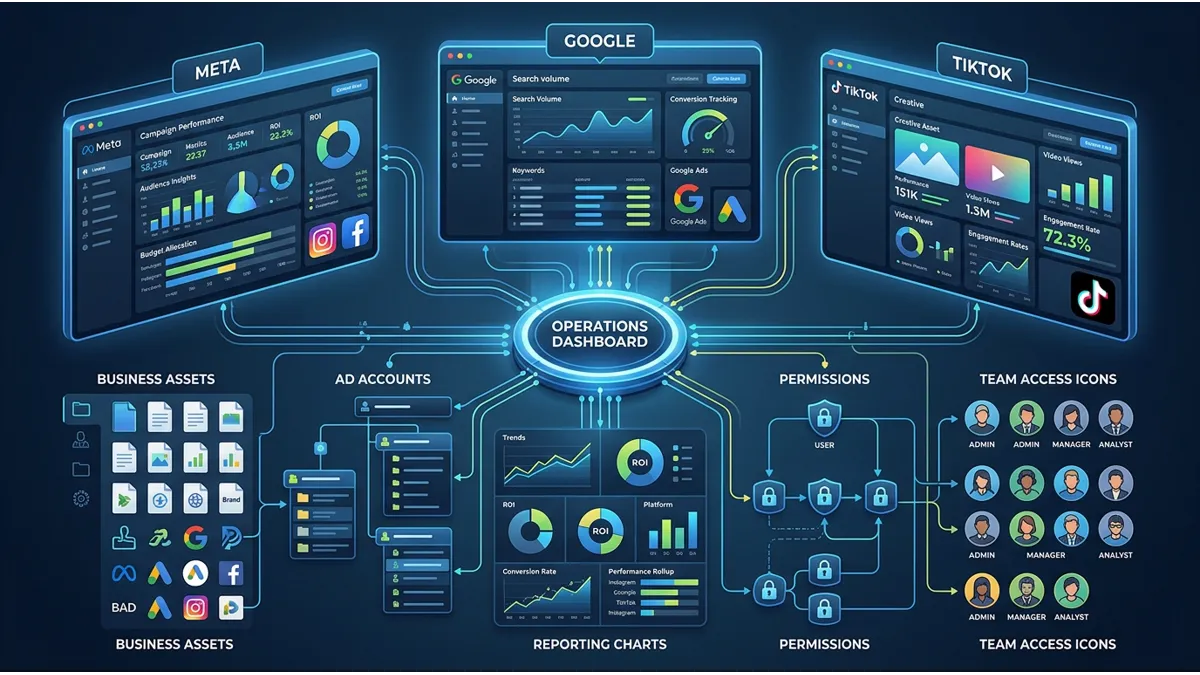
Choosing between Meta Business Manager, Google MCC, and TikTok Business Center can feel simple at first. You create an account, invite your team, connect ad accounts, and start running campaigns. In reality, the platform manager you choose affects access control, reporting, billing, asset ownership, client collaboration, and long-term operational stability.
For agencies, e-commerce brands, media buyers, and multi-brand businesses, meta vs google vs tiktok ad managers is not just a software comparison. It is a business infrastructure decision. Meta Business Manager, now closely connected with Meta Business Suite and business portfolios, helps organize Facebook and Instagram assets. Google MCC, also called a Google Ads manager account, helps manage several Google Ads accounts from one dashboard. TikTok Business Center centralizes TikTok advertising, business assets, members, partners, and permissions. Google says a manager account helps agencies or advertisers view and manage multiple Google Ads accounts from one location, while TikTok describes Business Center as a place to manage advertising, creators, commerce, and marketing solutions in one place.
This guide compares meta business manager vs google mcc vs tiktok business center in a practical way, so you can choose the best ad account management setup for your team, your clients, and your growth goals.
What these three platform managers are

Platform managers help businesses organize advertising access instead of relying on scattered logins, shared passwords, or disconnected ad accounts. They create a central structure where owners, employees, agencies, partners, pixels, pages, campaigns, billing users, and reporting access can work together more safely.
In other words, meta google tiktok ad managers are not the same as campaign dashboards. They sit above or beside the campaign tools. Meta Ads Manager, Google Ads, and TikTok Ads Manager help you create and optimize campaigns. However, Meta Business Manager, Google MCC, and TikTok Business Center help you organize who owns, accesses, manages, and reports on the assets behind those campaigns.
What Meta Business Manager is
Meta Business Manager is the traditional name many advertisers still use for Meta’s business asset management environment. Today, much of this experience connects with Meta Business Suite and business portfolios. A Meta business portfolio brings together business assets such as Facebook Pages, Instagram accounts, ad accounts, pixels, catalogs, and partner access so a business can manage them in one organized environment. Meta’s public help content describes a business portfolio as a way for organizations to bring together Facebook Pages, Instagram accounts, and other business assets for management in one place.
For advertisers, Meta Business Manager is especially useful when several people need access to the same Meta Ads setup. For example, a brand may need one owner, one internal marketing manager, one media buyer, one creative strategist, one finance contact, and one agency partner. Instead of giving everyone the same login, the business can assign roles and permissions.
This makes Meta Business Manager one of the most important ad managers for Meta Google and TikTok comparisons, especially for brands that rely heavily on Facebook and Instagram ads.
What Google MCC is
Google MCC stands for My Client Center, although Google now commonly calls it a Google Ads manager account. It is designed for advertisers, agencies, and professionals who manage more than one Google Ads account. Google explains that a manager account lets you view and manage multiple Google Ads accounts, including other manager accounts, from one account.
Google MCC works like an umbrella account. Under that umbrella, you can link multiple Google Ads accounts. Each account can still have its own campaigns, billing setup, currency, conversion actions, and users. Meanwhile, the manager account gives better navigation, cross-account visibility, alerts, reporting, and user access management.
For agencies, meta business manager vs google mcc often comes down to asset type. Meta focuses on social assets such as pages, Instagram accounts, pixels, and ad accounts. Google MCC focuses more directly on multiple Google Ads accounts, search campaigns, shopping campaigns, YouTube campaigns, Performance Max, and account-level reporting.
What TikTok Business Center is
TikTok Business Center is TikTok’s centralized business environment for advertising access, assets, teams, partners, and permissions. TikTok says Business Center helps businesses manage and access advertising, creators, commerce, and other marketing solutions in one place. It also highlights collaboration, permission assignment, analytics, and performance tracking across accounts and campaigns.
TikTok Business Center is important for advertisers that want more structure than a single TikTok Ads Manager login. It helps teams manage ad accounts, pixels, audiences, catalogs, partners, shops where available, and finance permissions. TikTok also states that Business Center roles help members access the platform based on their jobs, with Admin and Standard roles plus advanced finance roles.
As TikTok becomes a serious performance channel, meta business manager vs tiktok business center matters more for brands that want video-first acquisition, creator-driven ads, and multi-account campaign organization.
Why advertisers and agencies use platform management tools
Advertisers use platform management tools because growth creates complexity. One ad account may feel manageable at the beginning. However, once a business adds more products, regions, agencies, team members, pixels, catalogs, billing profiles, and client accounts, the setup can become confusing.
A strong cross-platform ad management setup helps prevent access problems, ownership disputes, reporting blind spots, and operational delays. For that reason, meta vs google vs tiktok business managers should be evaluated before campaigns scale, not after problems appear.
Centralized access for teams, clients, and assets
Centralized access gives the business owner or primary admin better control. Instead of sharing passwords, the business can invite users, assign permissions, remove users, and connect partners through the proper platform flow.
This matters because advertising accounts often contain sensitive assets, such as:
- Payment methods and invoices
- Pixels and conversion data
- Audiences and customer signals
- Pages, catalogs, shops, and creative assets
- Campaign history and performance data
- Client accounts and agency relationships
For agencies, ad account managers for agencies reduce confusion because each client can keep ownership while the agency receives the access needed to work. For brands, centralized access protects the business from losing control when an employee, freelancer, or agency relationship changes.
Better control over campaigns, permissions, and reporting
Platform managers also improve operational control. They help teams decide who can create campaigns, who can only view reports, who can manage billing, who can assign assets, and who can invite partners.
This is where platform access and permissions comparison becomes important. A small team may only need simple admin and employee access. A larger agency may need account hierarchy, partner access, analyst roles, finance roles, and cross-account reporting. Therefore, the best platform manager for advertisers depends on how the business operates.
Google MCC is strong for multi-account Google Ads reporting, because Google states that manager accounts can compare performance across accounts and run reports for multiple accounts at once. TikTok Business Center also supports analytics and performance tracking across accounts and campaigns. Meta Business Manager is especially useful when Facebook Pages, Instagram accounts, pixels, catalogs, partners, and ad accounts must work together inside one business portfolio.
Meta Business Manager vs Google MCC vs TikTok Business Center at a glance
The easiest way to understand meta business manager google mcc tiktok business center is to compare their main function. All three help with access and control, but each one serves a different advertising ecosystem.
The main purpose of each platform
Platform manager | Main purpose | Best for |
|---|---|---|
Meta Business Manager | Organizing Meta business assets, ad accounts, pages, pixels, partners, and permissions | Facebook and Instagram advertisers |
Google MCC | Managing multiple Google Ads accounts from one manager account | Agencies and multi-account Google Ads teams |
TikTok Business Center | Managing TikTok business assets, ad accounts, members, partners, and permissions | TikTok advertisers, agencies, and scaling teams |
This ad platform manager comparison shows that there is no universal winner. Each tool works best inside its own ecosystem. The stronger question is not which platform is better overall. The better question is which tool matches your channels, team structure, and growth stage.
The biggest differences in structure and use cases
Meta Business Manager is asset-heavy. It connects Pages, Instagram accounts, ad accounts, datasets, pixels, catalogs, partners, and people. Google MCC is account-heavy. It links Google Ads accounts under one manager account and improves account navigation, reporting, and access control. TikTok Business Center sits somewhere between the two. It manages ad accounts and business assets, but it also supports partner access, shops in selected contexts, creators, commerce tools, and finance permissions.
This is why meta vs google vs tiktok ad managers should not be compared only by interface. You should compare structure, ownership, reporting, permissions, and daily workflow.
Account structure and asset management

Account structure affects campaign stability. A clean structure helps teams find the right account, protect important assets, avoid duplicate pixels, and reduce mistakes during onboarding.
For serious advertisers, multi-platform ad account management should start with asset mapping. Before launching more campaigns, identify who owns each business manager, which ad accounts are active, which pixels or conversion tags matter, and which partners have access.
How Meta organizes pages, ad accounts, pixels, and partners
Meta organizes business advertising around business portfolios and assets. These assets may include Facebook Pages, Instagram accounts, ad accounts, pixels or datasets, catalogs, and partners. A business can invite people, assign access to specific assets, and work with agencies without handing over the owner’s personal login.
This makes Meta Business Manager a strong choice when a brand relies on Facebook and Instagram as core channels. For example, an e-commerce brand may need its Page, Instagram account, pixel, catalog, product feed, ad account, and agency partner to work together. If these assets sit under different owners or personal profiles, campaign operations can become slow and risky.
In a business manager comparison for advertisers, Meta usually wins when the issue is social asset control.
How Google MCC manages multiple Google Ads accounts
Google MCC manages multiple Google Ads accounts through a parent and child account structure. Google describes the manager account as an umbrella account with individual Google Ads accounts linked to it. It can link new accounts, existing accounts, and even other manager accounts.
This structure suits agencies, franchises, multi-location businesses, and companies running separate accounts by brand, region, or product line. A Google Ads manager account can also help teams monitor performance, create or link accounts, manage alerts, and grant users different levels of access.
In a google ads manager account vs tiktok business center comparison, Google MCC usually feels more mature for search-led and multi-account performance reporting. However, TikTok Business Center offers a better structure for TikTok-specific assets and partner workflows.
How TikTok Business Center handles ad accounts, members, and assets
TikTok Business Center helps businesses create, request access to, and share campaign assets. TikTok’s Business Center flow includes registering, collaborating, creating and sharing assets, then tracking performance metrics.
TikTok also provides partner and asset-level permission controls. Its help documentation states that account and asset permissions define how partners access and manage Business Center resources, including ad accounts, shops, pixels, catalogs, and more.
For agencies, google mcc vs tiktok business center for agencies depends on channel strategy. Google MCC fits search, shopping, YouTube, display, and Performance Max structures. TikTok Business Center fits TikTok ads, video creatives, creator-related workflows, and TikTok-native scaling.
User roles, permissions, and collaboration
Permissions decide who can do what. Poor permission setup can create serious problems, especially when teams change quickly or external agencies join the business.
Strong ad account management tools should help you assign access by responsibility. Not everyone needs admin control. Some users need campaign management. Others need reporting only. Finance users may need billing access but not campaign editing access.
How team access works across the three platforms
Meta allows businesses to assign people to specific business assets and control access levels. Google MCC lets admins invite users to the manager account and choose access levels such as Admin, Standard, or Read only during setup. TikTok Business Center uses Basic roles such as Admin and Standard, while advanced finance roles add billing-related permissions.
This makes compare permissions in meta google and tiktok business managers a key task before onboarding a team. A media buyer may need campaign creation access. A CEO may only need reporting visibility. An accountant may only need invoice or finance access. A partner agency may need asset access without full ownership.
How agencies and clients share control safely
Agencies and clients should avoid sharing personal logins. Instead, they should use partner access, manager accounts, or business-level invitations. This protects both sides.
For example, a client can keep ownership of its Meta business portfolio while giving agency access to relevant assets. A client can link a Google Ads account to an agency’s MCC while keeping its own account users. A TikTok advertiser can invite an external partner and assign account or asset permissions through Business Center. TikTok confirms that partners can access assigned accounts and assets according to the permissions set by admins.
This is why the best ad account management tool for agencies is usually not one tool. It is the correct setup inside each platform.
Campaign management and reporting differences

Platform managers do not replace campaign dashboards. However, they make campaign management easier when a business manages several accounts or teams.
Meta Ads Manager remains the campaign workspace for Meta ads. Google Ads remains the campaign workspace for Google campaigns. TikTok Ads Manager remains the campaign workspace for TikTok campaigns. Meanwhile, the platform manager controls structure, access, and account-level organization.
Which platform is best for cross-account visibility
Google MCC is often the strongest tool for cross-account visibility inside Google Ads because it was built to manage multiple accounts from a single dashboard. Google specifically lists searching, navigating, managing accounts, comparing performance, and running reports across accounts as manager account benefits.
TikTok Business Center also provides performance analytics across accounts and campaigns, which helps TikTok-focused teams monitor results more efficiently. Meta Business Manager is useful for asset visibility and permission control, but day-to-day reporting often still happens inside Meta Ads Manager or third-party reporting tools.
For cross-platform ad managers, no native platform gives one complete view across Meta, Google, and TikTok together. Businesses usually need a reporting dashboard, spreadsheet system, analytics stack, or agency reporting process to compare all channels in one place.
How each tool supports performance tracking and optimization
Google MCC helps performance teams compare accounts, monitor alerts, review account health, and organize reporting. Meta Business Manager supports optimization indirectly by keeping pixels, pages, catalogs, accounts, and permissions structured correctly. TikTok Business Center supports TikTok optimization by helping teams connect assets, assign permissions, and review performance across accounts and campaigns.
As a result, meta google tiktok business managers support optimization through better organization. They do not make poor campaigns profitable by themselves. However, they reduce operational friction, which helps teams test, review, and scale faster.
Setup and onboarding requirements
Setup quality matters. A rushed setup can create ownership problems later. Before inviting users or agencies, the business should decide who owns the platform manager, which assets belong inside it, and which permissions each person needs.
This is especially important for business manager for agencies and manager account for agencies workflows, because a poorly structured setup can affect multiple clients.
How to create and configure each platform manager
For Meta, the business should create or organize its business portfolio in Meta Business Suite, then connect pages, Instagram accounts, ad accounts, pixels, catalogs, people, and partners. The owner should keep full control and assign limited access where needed.
For Google MCC, Google’s setup process asks the user to create a manager account, choose how the account will be used, select country, time zone, and currency, then start linking or creating accounts. Google notes that time zone cannot be changed after selection, so businesses should choose carefully.
For TikTok Business Center, TikTok recommends registering, setting up two or more admins, inviting teams and partners, creating or requesting access to assets, and tracking performance. TikTok also advises using member access, admin assignments, finance permissions, and two-step verification to help organize teams securely.
What businesses should prepare before onboarding teams or agencies
Before onboarding anyone, prepare a clean access plan. This helps avoid confusion and protects the business.
A practical onboarding checklist includes:
- Official business email addresses for owners and admins
- Clear list of internal users and their responsibilities
- Existing ad account IDs, customer IDs, or business IDs
- Pixel, conversion tag, catalog, and website access details
- Billing contact and payment responsibility
- Agency partner information if external support is needed
- Two-factor authentication for important users
- Documentation of who owns each account and asset
This preparation makes cross-platform ad management setup faster and safer. It also helps agencies launch support without spending days chasing missing access.
Which one is best for your business goals
The right choice depends on your channels. A business running only Google Ads does not need TikTok Business Center as its main manager. A brand scaling Facebook and Instagram ads should not rely only on Google MCC. A video-first brand using TikTok heavily should not manage everything through a single Ads Manager login.
In short, the best platform manager for advertisers depends on where the business spends money, how many accounts it manages, and who needs access.
When Meta Business Manager is the better choice
Meta Business Manager is the better choice when Facebook and Instagram play a central role in your paid acquisition strategy. It is also the better choice when you need to organize pages, Instagram accounts, ad accounts, pixels, catalogs, partners, and people.
Meta is especially useful for e-commerce brands, local businesses, lead generation teams, and agencies running Meta campaigns for multiple clients. If your main question is which is better meta business manager or google mcc, the answer depends on channel focus. For Meta campaigns, Meta Business Manager is not optional. It is the operational base.
When Google MCC is the better choice
Google MCC is the better choice when you manage several Google Ads accounts, brands, locations, or clients. It is also strong when you need cross-account reporting, alerts, access levels, and a cleaner way to move between accounts.
For agencies, Google MCC is often the best platform manager for multiple brands that advertise through search, shopping, YouTube, display, or Performance Max. It gives more structure than logging into each account separately.
When TikTok Business Center is the better choice
TikTok Business Center is the better choice when TikTok ads become a serious part of your paid media strategy. It helps organize ad accounts, assets, partners, members, pixels, catalogs, shops where relevant, and finance roles.
For scaling teams, TikTok Business Center also creates a cleaner foundation for video-first advertising. If your team asks how tiktok business center compares with meta business manager, the simple answer is this: Meta Business Manager organizes Meta’s social ad ecosystem, while TikTok Business Center organizes TikTok’s business and advertising ecosystem.
Common mistakes when choosing or setting up these tools
Many businesses choose tools based only on where they run campaigns. That is a start, but it is not enough. The real risk comes from poor ownership, unclear permissions, and scattered assets.
A strong business manager comparison for advertisers should look beyond interface design. It should ask who owns the setup, who can remove users, who controls billing, who manages pixels, and who can access reporting.
Confusing business ownership with account access
Access is not the same as ownership. A freelancer may have access to an ad account without owning it. An agency may manage campaigns without owning the business portfolio. A team member may create campaigns without controlling billing or business settings.
This difference matters. If the wrong person creates the business manager, MCC, or Business Center, the company may later struggle to reclaim control. Therefore, the business owner or authorized company admin should create and control the main structure whenever possible.
Giving the wrong permissions to internal teams or agencies
Another common mistake is giving admin access to everyone. This feels convenient at first, but it increases risk. A junior team member does not need full control. A reporting analyst does not need billing access. An external agency may not need ownership.
The better approach is permission allocation by role. Give each person enough access to do their job, but not more than necessary. This protects campaign assets, billing settings, and business control.
How ShopyAds helps businesses choose the right ad management setup

ShopyAds helps brands, agencies, media buyers, and performance teams work with premium advertising infrastructure across major platforms. The goal is not to replace your campaign strategy. Instead, ShopyAds supports the operational side of advertising, including account access, onboarding, structure, permissions, and stability-focused guidance.
This matters because meta vs google vs tiktok ad managers can become difficult when a business scales across several channels. Each platform has different rules, access flows, account structures, and permission systems. Without the right setup, advertisers can lose time before campaigns even launch.
How ShopyAds supports onboarding, account structure, and platform operations across Meta, Google, and TikTok
ShopyAds supports advertisers by helping them understand which setup fits their business, platform choice, monthly spend range, and growth goals. For Meta, this may involve clarity around business assets, ad account access, pixels, and partner permissions. For Google, it may involve MCC structure, account readiness, Merchant Center considerations, and scalable operational setup. For TikTok, it may involve Business Center access, ad account structure, partner permissions, and onboarding guidance.
For serious advertisers, this kind of support creates a smoother path from application to launch. ShopyAds focuses on the infrastructure complexity so media buyers and business owners can stay focused on campaigns, creatives, testing, and growth.
Final verdict
There is no single winner in meta business manager vs google mcc vs tiktok business center. Each platform manager solves a different problem.
Meta Business Manager is best for managing Meta assets, Facebook and Instagram advertising access, pixels, pages, catalogs, partners, and permissions. Google MCC is best for managing multiple Google Ads accounts, cross-account reporting, account hierarchy, and agency workflows. TikTok Business Center is best for managing TikTok business assets, ad accounts, partners, members, permissions, and TikTok-specific advertising operations.
How to decide between Meta Business Manager, Google MCC, and TikTok Business Center based on your team, channels, and growth stage
Choose based on your advertising channels first. If Meta is your main channel, start with Meta Business Manager. If Google Ads is your main channel and you manage several accounts, use Google MCC. If TikTok is part of your growth strategy, set up TikTok Business Center properly before scaling.
Then, review your team structure. A solo advertiser needs simplicity. A small business needs clean ownership and safe access. An agency needs multi-account management and client access. A scaling brand needs structured onboarding, reporting visibility, and operational control.
In conclusion, meta vs google vs tiktok ad managers is really a decision about infrastructure. The better your setup, the easier it becomes to onboard people, protect assets, manage campaigns, review performance, and scale across platforms with less friction.
Frequently asked questions
Are Meta ads better than TikTok ads?+−
Meta ads are not automatically better than TikTok ads. Meta can be strong for broad targeting, retargeting, e-commerce, lead generation, and Facebook or Instagram audiences. TikTok can be strong for video-first discovery, creator-style ads, and younger audience engagement. The better choice depends on your product, creative quality, audience, budget, and testing process.
Is Google Ads better than TikTok ads?+−
Google Ads can be better when users already show intent through search terms, shopping behavior, YouTube activity, or comparison research. TikTok ads can be better when a brand needs discovery, video storytelling, and creative-led demand generation. Many growing businesses use both because Google captures demand while TikTok can help create it.
Who are the big 3 of online advertising?+−
The big three are often considered Google, Meta, and Amazon in global digital advertising revenue discussions. However, for many performance advertisers comparing social and search campaign operations, Meta, Google, and TikTok are the three platforms they evaluate most often for growth.
Is Google Ads easier than Meta ads?+−
Google Ads can feel easier when you understand search intent and keywords. Meta ads can feel easier when you have strong creative, audience insights, and a clear funnel. In practice, neither platform is easy at scale. Both require tracking, testing, budget control, conversion optimization, and proper account structure.
What is Meta Business Manager?+−
Meta Business Manager is the commonly used name for Meta’s business asset and access management environment. It helps businesses organize Facebook Pages, Instagram accounts, ad accounts, pixels, catalogs, partners, people, and permissions through Meta Business Suite and business portfolios.
What is Google MCC?+−
Google MCC, now called a Google Ads manager account, is a parent account that helps advertisers and agencies manage multiple Google Ads accounts from one place. It supports account linking, cross-account navigation, reporting, alerts, and user access management.
What is TikTok Business Center?+−
TikTok Business Center is TikTok’s centralized business platform for managing ad accounts, assets, members, partners, permissions, finance roles, and performance visibility across TikTok advertising operations.
Does TikTok have a Business Manager like Meta?+−
Yes. TikTok Business Center works similarly to Meta Business Manager in the sense that it helps businesses manage assets, users, partners, and permissions. However, it is built specifically for TikTok’s advertising and business ecosystem.
What is the difference between Meta Business Manager and Google MCC?+−
Meta Business Manager focuses on Meta business assets such as Facebook Pages, Instagram accounts, ad accounts, pixels, catalogs, and partners. Google MCC focuses on managing multiple Google Ads accounts from one manager account. Meta is more asset-centered, while Google MCC is more account-hierarchy centered.
What is the difference between Google MCC and TikTok Business Center?+−
Google MCC manages multiple Google Ads accounts under one manager account. TikTok Business Center manages TikTok ad accounts, assets, members, partners, permissions, and TikTok-specific business tools. Google MCC is stronger for Google Ads account hierarchy and reporting, while TikTok Business Center is stronger for TikTok asset and partner management.
Which platform manager is best for agencies?+−
The best platform manager for agencies depends on the channel. Agencies running Meta campaigns need Meta Business Manager. Agencies managing many Google Ads accounts need Google MCC. Agencies running TikTok campaigns need TikTok Business Center. Multi-platform agencies usually need all three.
Which ad manager is best for beginners?+−
For beginners, the easiest platform manager depends on the first channel they plan to use. A beginner running Facebook and Instagram ads should start with Meta Business Manager and Meta Ads Manager. A beginner running search campaigns should start with Google Ads and later use Google MCC if multiple accounts become necessary. A beginner running TikTok campaigns should use TikTok Business Center when team access or asset control becomes important.
Which platform manager is best for small business teams?+−
Small business teams should choose the platform manager that matches their main advertising channel. Meta Business Manager is usually best for Facebook and Instagram-focused small businesses. Google MCC is useful when the business manages several Google Ads accounts or locations. TikTok Business Center is best when TikTok becomes an active growth channel with several users, partners, or assets.