April 13, 2026
What Is Google MCC?
Google MCC, officially called a Google Ads manager account, helps agencies and multi-brand advertisers manage multiple Google Ads accounts from one central dashboard. Learn what Google MCC means, how it works, when to use it, and how it supports cleaner access, reporting, permissions, billing visibility, and account organization.
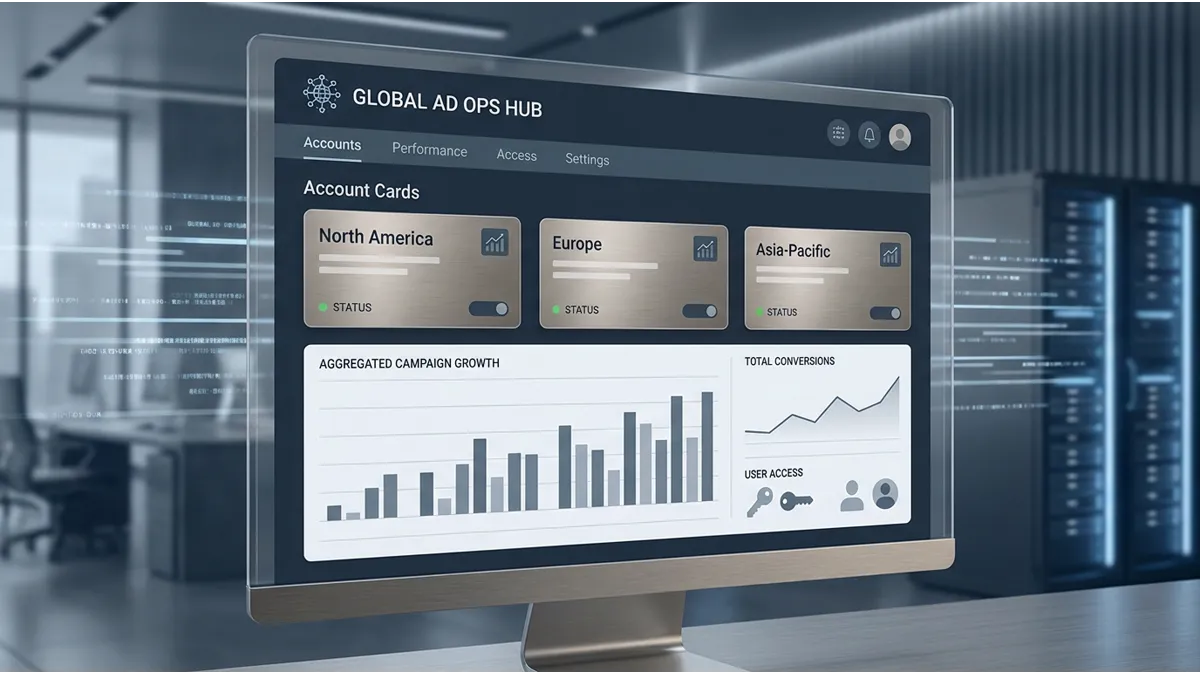
Google MCC is one of the most important structures for agencies, advertisers, and growing businesses that manage more than one Google Ads account. Although many marketers still use the term google mcc, Google officially calls it a Google Ads manager account. In simple terms, it is a manager account designed to help you view, organize, and manage multiple Google Ads accounts from one place. Google describes a manager account as a Google Ads account that lets users manage multiple Google Ads accounts, including other manager accounts, from a single location.
For business owners, this matters because advertising becomes harder to control when every brand, country, client, or campaign sits in a separate login. A google ads manager account gives you a cleaner account dashboard, better access control, and a more structured way to handle growth. Therefore, if you manage several client accounts, several business units, or several advertising teams, understanding google mcc can help you build a stronger advertising operation.
What Google MCC means

The definition of a Google Ads Manager Account
A Google Ads Manager Account is a central account used to manage multiple Google Ads accounts. In practice, google mcc works like an umbrella structure. Under that umbrella, you can connect client accounts, create new sub-accounts, monitor performance, manage access, and organize advertising operations more clearly.
This does not mean that a google ads mcc account replaces every individual ad account. Instead, each Google Ads account can remain separate, while the manager account gives you a central control point. For example, an agency may use one google manager account to manage client accounts for e-commerce brands, local businesses, lead generation projects, and international campaigns. Likewise, a multi-brand company may use a google ads manager account mcc to keep every brand account visible from one login.
The core value is not only convenience. It is operational clarity. When your team has several ad accounts, you need clean permissions, clear account ownership, billing visibility, and reliable reporting. Google MCC helps organize that structure before account management becomes messy.
Why Google uses the term manager account instead of MCC
MCC is still widely used by advertisers and media buyers, but Google’s official term is now manager account. Historically, MCC has been understood in the industry as “My Client Center.” However, the modern product name is more descriptive because the tool is not only for agencies managing clients. It also helps advertisers manage their own multiple Google Ads accounts.
This distinction is important. When someone asks “what is google mcc,” they are usually asking about the same tool Google calls a manager account. In other words, google mcc, google ads manager account, google ads mcc account, and google manager account often refer to the same multi-account management setup.
How Google MCC works
Managing multiple Google Ads accounts from one dashboard
Google MCC works by connecting several Google Ads accounts to one manager account dashboard. Once the accounts are linked, you can move between them without logging in and out repeatedly. Google lists several manager account benefits, including single sign-in access, account navigation, campaign management for client accounts, cross-account reporting, alerts, account creation, and different user access levels.
For agencies, this creates a practical workflow. A media buyer can review several accounts, compare performance, check alerts, and manage campaign changes from one place. For business owners, it creates more visibility. You can see who has access, which accounts are active, and how your advertising structure grows over time.
A google ads multi account manager is especially useful when your business runs separate accounts for different countries, currencies, departments, product lines, or clients. Instead of mixing everything into one account, you can keep each account organized while still maintaining central oversight.
Linking existing accounts or creating new ones under management
A manager account can link to existing Google Ads accounts or create new Google Ads accounts directly from the manager account. Google explains that a manager account is a new Google Ads account, not an upgrade of a standard account, and that it can link new accounts, existing accounts, and other manager accounts.
This gives advertisers flexibility. If a client already has a Google Ads account, the agency can send an access request through the MCC. If a new brand needs a fresh account, the manager account can create one and automatically place it under the correct hierarchy. As a result, google mcc account structure becomes easier to scale.
For example, a performance agency may create a structure like this:
Setup type | Best use case | Main benefit |
|---|---|---|
One regular Google Ads account | One business, one market, one team | Simple campaign control |
Google MCC with linked accounts | Agencies and multi-brand advertisers | Central access and reporting |
MCC with sub-manager accounts | Larger agencies or regional teams | Cleaner account hierarchy |
This structure also helps with onboarding. Instead of asking every team member to access every account separately, you can organize permissions from the manager account and reduce confusion.
Who should use Google MCC

Agencies handling multiple client accounts
Google MCC for agencies is one of the most common use cases. Agencies usually manage multiple Google Ads accounts, and each client may require different campaign structures, budgets, billing settings, access roles, and reporting formats. Without a manager account, this becomes difficult to control.
A google mcc for agencies setup helps agencies centralize access while keeping client accounts separate. This matters because clients often want visibility and ownership, while the agency needs operational access to optimize campaigns. Therefore, a manager account creates a cleaner relationship between account ownership and account management.
For example, an agency can request access to a client account, manage campaigns, monitor performance, and support reporting. At the same time, the client can keep access to their own account. This is healthier than sharing passwords or creating unclear ownership arrangements.
Businesses with several brands, regions, or teams
Google MCC is not only for agencies. Multi-brand businesses, franchise groups, e-commerce companies, and advertisers working across several regions can also benefit from a google ads manager account. Google notes that manager accounts can suit advertisers with more than one Google Ads account, as well as third parties managing many client accounts.
For instance, a company may have one account for Morocco, another for France, and another for the United States. Another business may separate accounts by brand, product category, or business unit. In these cases, a google manager account allows leadership to keep visibility across the structure while each team works inside the right account.
This becomes even more useful as the business scales. When several media buyers, finance teams, founders, and external partners need different access levels, a google ads manager account mcc gives the business a more secure way to manage permissions.
Main benefits of Google MCC
Centralized access and permission control
One major benefit of google mcc is centralized access management. Google Ads access levels help control what users can do inside an account, and Google explains that each time you grant access, you can assign an access level based on what that user should impact.
In a manager account, this becomes even more useful. Administrative users can handle major actions, while standard users can manage campaigns without full admin control. Read-only users can review reports without changing campaigns. Billing users can view or edit billing information in specific cases. Google’s manager account access documentation also explains that administrative, standard, read-only, billing, and email-only access levels serve different purposes.
For business owners, this is critical. You do not want every user to have full control. You want the right people to have the right access. Therefore, google mcc permissions help reduce operational risk and improve accountability.
Cross-account performance tracking and reporting
A google ads manager account makes reporting easier because it allows you to compare performance across accounts and run reports for multiple accounts. This helps agencies and advertisers see patterns that would be harder to identify in isolated accounts.
For example, an agency may notice that Shopping campaigns perform better in one region, while Search campaigns perform better in another. Similarly, a business may compare acquisition costs across brands or markets. With cross-account reporting, managers can move from isolated campaign checks to broader performance tracking.
This does not replace detailed account analysis. However, it gives decision-makers a better view of the full advertising operation. As a result, google mcc reporting supports smarter budget discussions, better planning, and stronger account organization.
Better organization for scaling ad operations
Scaling ad operations is not only about increasing budget. It also requires clean structure, clear responsibilities, and predictable workflows. Google MCC helps advertisers build that foundation.
For example, a scaling e-commerce company may need one account for Search, another for Shopping, and another for regional expansion. An agency may need separate sub-accounts for each client. In both cases, multi-account management helps avoid confusion.
Better organization also improves onboarding. When a new client, brand, or market joins the structure, the team can follow a clear process: create or link the account, assign users, confirm billing visibility, check account ownership, and start campaign setup. Consequently, google mcc for account management supports both daily operations and long-term growth.
Google MCC vs a regular Google Ads account
Differences in account structure and account ownership
The main difference between google mcc vs regular google ads account is structure. A regular Google Ads account is where campaigns, ad groups, keywords, ads, assets, conversions, audiences, and budgets usually live. A manager account is the control layer that manages multiple accounts.
Google clearly states that a manager account is not an upgrade of a standard Google Ads account. It is a new account created to manage other accounts, like an umbrella over linked individual accounts.
Ownership also matters. A client account may still own its data and access, while a manager account can receive management access. In some cases, a manager account can receive ownership of a client account, but that depends on permissions and setup. Therefore, advertisers should never assume that connecting an account automatically transfers full ownership.
When a single account is enough and when MCC is the better choice
A single Google Ads account is often enough when one business manages one brand, one market, one billing setup, and one small team. In that situation, adding a google ads manager account may create unnecessary complexity.
However, MCC becomes the better choice when the structure expands. If you manage several brands, clients, markets, or teams, a google mcc can save time and reduce confusion. It also becomes useful when you need cross-account reporting, user access control, account linking, and clearer hierarchy.
In short, a regular account is for running campaigns. A manager account is for managing several advertising accounts. Both can work together, but they serve different purposes.
How to create and set up Google MCC

Creating a manager account step by step
To create Google MCC, you need to create a Google Ads manager account from the manager account homepage. Google’s official setup flow includes signing in with the email you want to use, naming the manager account, choosing whether you will manage your own accounts or other people’s accounts, selecting country and time zone, choosing a permanent currency, and then exploring the account. Google also notes that the time zone and currency choices are important because they affect reporting and billing context.
A practical setup process looks like this:
- Choose the email address that should manage the structure.
- Create the manager account from the Google Ads manager account homepage.
- Use a clear account name that clients or internal teams can recognize.
- Select the correct country, time zone, and currency.
- Decide whether you will manage your own accounts, other people’s accounts, or both.
- Add only the users who need access.
- Link existing client accounts or create new accounts under the manager account.
This setup should not be rushed. Since account structure affects permissions, reporting, and billing visibility, it is better to plan the hierarchy before adding many accounts.
Linking client accounts and sending access requests
To link client accounts in google mcc, you need the Google Ads customer ID of the account you want to connect. Google’s linking process includes signing in to the manager account, going to sub-account settings, selecting the plus button, choosing “Link existing account,” entering the Customer ID, previewing the request, and sending it. The invited account can then accept or decline the request.
This process is useful for agencies because it keeps the relationship cleaner. Instead of sharing login credentials, the agency sends an official access request. The client then accepts the request inside their Google Ads account.
For multi-brand businesses, the process works similarly. Each brand account can link to the manager account, giving leadership or the central marketing team better visibility across the full structure.
Naming and structuring accounts for easier management
Good naming is one of the simplest ways to improve google mcc account structure. When accounts have vague names, teams waste time confirming which account belongs to which brand, country, or client. However, when names follow a clear system, daily work becomes easier.
A useful naming format may include the brand, country, platform purpose, and account type. For example:
Brand Name, Country, Google Ads, Search
Brand Name, Country, Google Ads, Shopping
Client Name, Region, Google Ads, Lead Gen
In addition, agencies can use sub-manager accounts when the structure becomes larger. For example, one top-level MCC may contain separate sub-manager accounts for different regions, teams, or departments. This helps avoid a flat and confusing account hierarchy.
Best practices for managing Google MCC
Organizing accounts, users, and account hierarchy
The best google mcc setups are simple enough to manage and structured enough to scale. You should avoid adding accounts randomly without a naming system, access policy, or hierarchy plan.
A strong manager account structure usually includes:
- Clear account names for each client, brand, or region.
- Defined admin, standard, read-only, billing, and email-only access roles.
- Separate access for internal teams, clients, and external partners.
- Regular permission reviews.
- Clean sub-account grouping by brand, region, or service line.
- A documented onboarding process for new accounts.
This matters because access problems often appear later, when the business has already grown. By that point, fixing the structure can take more time. Therefore, businesses should organize google mcc permissions from the beginning.
Monitoring performance and optimizing across accounts
A google ads manager account should not only store accounts. It should help teams monitor performance, identify issues, and make better decisions. Agencies can use it to compare client performance, check alerts, and review account health. Multi-brand businesses can use it to understand which accounts deserve more attention or budget.
However, cross-account visibility should not replace account-level strategy. Each account still needs its own campaign structure, conversion tracking, budget logic, creative direction, and optimization plan. The manager account gives you visibility, but the campaign work still happens inside the individual accounts.
In other words, google mcc improves control and organization, while skilled media buying still drives campaign outcomes.
How ShopyAds supports Google MCC management

How ShopyAds helps brands streamline onboarding, access, and account operations
ShopyAds supports advertisers who need stronger advertising infrastructure across major platforms, including Google Ads. For teams that want a more organized google ads manager account setup, ShopyAds can help with onboarding guidance, account access structure, roles and permissions support, billing or top-up guidance depending on setup, and operational support after launch.
This support matters because many advertisers do not struggle only with campaign execution. They also struggle with access requests, account configuration, permissions, platform requirements, and operational clarity. ShopyAds focuses on helping advertisers build a more stable account environment, so media buyers and business owners can focus on campaign strategy, creative testing, performance tracking, and growth.
For Google Ads specifically, ShopyAds can help brands and agencies approach google mcc management with a cleaner operational process. That includes preparing account access, clarifying account hierarchy, supporting onboarding, and helping teams understand how the structure should work before campaigns scale.
Common questions about Google MCC
How many accounts can one manager account handle
Google Ads manager account limits depend on several factors. Google states that all manager accounts can link to a maximum of 85,000 non-manager accounts, including active, inactive, and canceled accounts. However, active account limits depend on the combined monthly spend of client accounts over the last 12 months. For example, accounts with less than $10,000 USD in highest monthly spend over the last 12 months have an active non-manager account limit of 50, while higher spend tiers can have larger limits.
For most small agencies and growing advertisers, this means the practical limit may depend on spend history. Therefore, if you plan to manage many accounts, you should check the current account limits inside Google’s documentation and structure your MCC carefully.
Does MCC affect billing or campaign control
Google MCC can improve billing visibility and management, but it does not automatically make all billing the same. Each client account may still have its own billing setup, currency, and payment method. Google also notes that manager accounts can link to a payments profile for monthly invoicing and use monthly invoicing for Ads accounts, when eligible.
Campaign control depends on access level and ownership. If your manager account has the right permissions, users can manage campaigns in linked accounts. However, client users can still access their accounts as usual, and admin users may be able to unlink the manager account. Therefore, MCC supports control, but permissions and ownership determine what each person can actually do.
Final takeaways
When Google MCC is the right setup for growth, visibility, and control
Google MCC is the right setup when advertising operations become bigger than one simple account. If you are an agency managing multiple clients, a business with several brands, or an advertiser expanding across regions, a google ads manager account can bring more structure to your workflow.
It helps you centralize access, manage multiple Google Ads accounts, monitor performance, organize reporting, and scale account operations with more visibility. However, it is not a shortcut to better campaign results by itself. Campaign performance still depends on strategy, tracking, offer quality, landing pages, creative, keywords, budgets, and optimization.
For growth-focused advertisers, the best approach is simple: use google mcc to build the right infrastructure, then combine that structure with strong campaign execution. When the account setup is organized, your team can move faster, collaborate better, and scale with fewer operational problems.
Frequently asked questions
What is an MCC for Google?+−
An MCC for Google is a Google Ads manager account used to manage multiple Google Ads accounts from one place. It is useful for agencies, advertisers, and businesses with more than one ad account.
How to create a Google MCC?+−
To create a Google MCC, go to the Google Ads manager account setup page, sign in with your Google account, name your manager account, choose your account use, then select your country, time zone, and currency. After that, you can link existing accounts or create new accounts under management.
How to set up a Google MCC?+−
To set up a Google MCC, create the manager account first, then organize your account hierarchy, invite users, assign permissions, and link client accounts using their Customer IDs.
What does MCC stand for in Google Ads?+−
MCC is commonly understood as My Client Center, the older name many advertisers still use. Google now officially uses the term manager account or Google Ads manager account.
What does MCC stand for?+−
In Google Ads, MCC is commonly used to mean My Client Center. In modern Google Ads documentation, the same concept is referred to as a manager account.
How does Google Merchant Centre work?+−
Google Merchant Centre is different from Google MCC. Merchant Centre is used mainly for product data, shopping listings, and eCommerce visibility across Google. Businesses can add or sync product data, manage product information, check product status, and provide details like shipping and returns.
What is Google MCC?+−
Google MCC is a Google Ads manager account that allows users to manage multiple Google Ads accounts from one central dashboard.
What is a Google Ads manager account?+−
A Google Ads manager account is an account used to view and manage multiple Google Ads accounts, including other manager accounts, from one place.
Why does Google use the term manager account instead of MCC?+−
Google uses the term manager account because it clearly describes the function of the tool: managing multiple Google Ads accounts. MCC is still widely used by advertisers, but manager account is the official product term.
How does Google MCC work?+−
Google MCC works by linking multiple Google Ads accounts to one manager account. The manager account can then access, monitor, and manage those linked accounts based on permissions.
What is the difference between Google MCC and a regular Google Ads account?+−
A regular Google Ads account is used to run campaigns for one advertiser. A Google MCC account is used to manage multiple Google Ads accounts from one dashboard.
How do I create Google MCC?+−
You can create Google MCC by creating a Google Ads manager account, then linking existing client accounts or creating new accounts directly from the manager account dashboard.